


When your Android phone gets hot while gaming, it usually means the CPU and GPU are working hard to render graphics and run the game. Some warmth is normal, especially during demanding modern 3D games or long sessions.
Heat can increase further when you play while charging, use high brightness or refresh rates, or have a weak network signal.
However, a phone that becomes too hot to hold, shuts down, or shows a temperature warning needs attention. Knowing what causes gaming heat can help you reduce it and protect your phone’s battery and components.
What Actually Causes Your Android Phone to Overheat While Gaming
Several things happen at once inside your Android phone when you play a demanding game. Here’s what’s actually causing the extra heat.
Your CPU and GPU Are Working at Full Capacity
Games require constant, high-speed calculations. Your CPU handles game logic like physics and controls, while your GPU renders graphics in real time.
When you play games like PUBG or Call of Duty: Mobile, both chips can run near their maximum capacity, and that sustained effort generates heat.
If that heat is leading to lag or frame drops, a few quick performance tweaks can help.
The Battery Has to Work Harder to Keep Up
Powering that kind of processing requires a lot of energy, and pulling energy from the battery quickly isn’t perfectly efficient. Some of that energy is lost as heat during the transfer. This is why the battery area of your phone often feels warmer than the rest during gaming.
Background Apps and Processes Add Extra Load
Apps syncing or running in the background, notifications checking in, and multiple open tabs all quietly use CPU and RAM. During gaming, this adds to a workload that’s already high, pushing the temperature up further.
Charging While Gaming Compounds the Heat
Playing while plugged in means your phone is dealing with two heat sources at once: the battery charging and the processor working hard. This combination is one of the fastest ways to make a phone overheat.
Weak Network Signal or Unstable Wi-Fi
When signal strength is poor, your phone automatically increases radio power to maintain a stable connection. This extra effort, especially during online multiplayer games, adds noticeable heat.
High Screen Brightness and Refresh Rate
A bright display running at a high refresh rate consumes more power. It’s not the main cause of overheating, but it does add to the overall heat your phone generates during a session.
Environmental Factors
Playing in direct sunlight, in a hot car, or with a thick phone case on can trap heat that would otherwise dissipate. Even a good cooling system struggles when the surrounding environment is already warm.
The Game Itself Matters
Not all games heat up your phone equally. Some of the modern Android games use heavy 3D graphics, high frame rates, and online features that can put significantly more load on your hardware.
- Simple 2D or turn-based games barely stress your hardware
- Graphics-heavy 3D games with high frame rates push your GPU hard
- Real-time multiplayer games add constant network activity on top of the graphics load
The heavier the game, the more heat you should expect. If you regularly play demanding games for hours, you should consider a dedicated gaming phone.
Is It Normal for Your Phone to Get Hot While Gaming?
Yes, in most cases. Gaming apps demand far more from your processor and graphics chip than browsing social media or texting. That extra workload naturally raises your phone’s internal temperature.
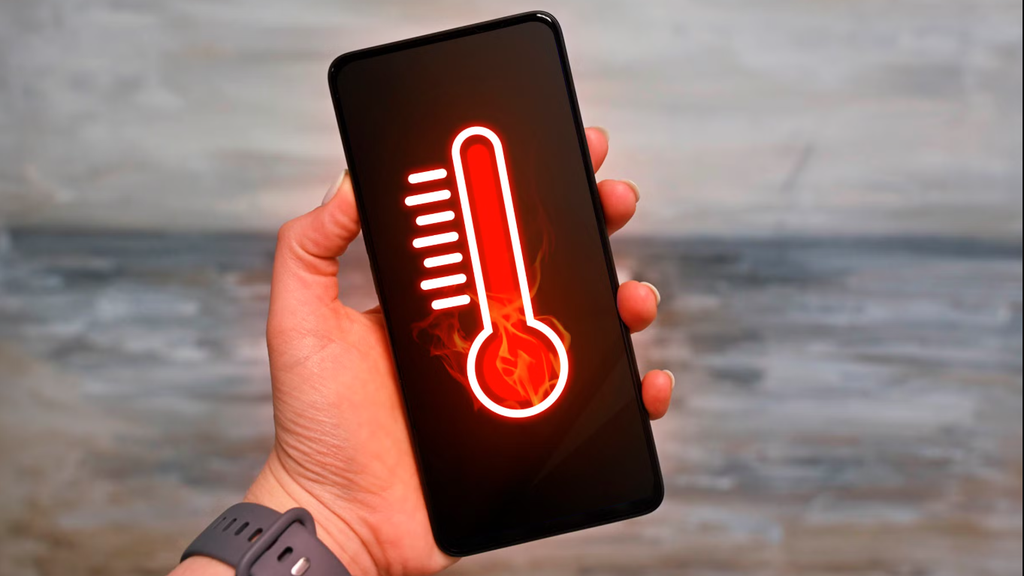
A phone that feels warm during demanding gaming can be normal, especially when the device is under heavy load.
It’s only a concern when that warmth turns into something more intense.
What Happens When Your Phone Gets Too Hot (Thermal Throttling Explained)
When internal temperatures climb past a safe point, your phone doesn’t just keep pushing forward. It automatically slows down to protect itself. This is called thermal throttling, and it’s a built-in safety feature hard-coded into the OS Kernel.
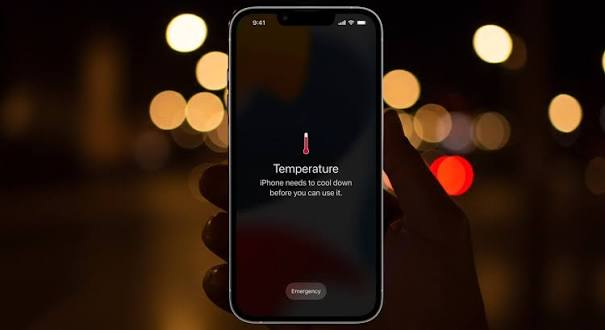
During throttling, you might notice your frame rate drop suddenly, or the game may stutter. It can feel frustrating mid-match, but it’s your phone preventing damage rather than causing it. Once the phone cools down, normal performance usually returns.
Normal Warmth vs. Dangerous Overheating: How to Tell the Difference
It helps to know exactly where the line is between expected warmth and a real problem.
| Normal Warmth | Warning Signs |
| Warm to the touch during play | Too hot to hold comfortably |
| Cools down shortly after you stop | Stays hot even after you close the game |
| No noticeable performance drop | Sudden shutdowns or restarts |
| Occasional mild throttling | On-screen temperature warning |
| No smell or physical change | Burning smell or a swollen battery |
If you notice any of the warning signs, stop playing immediately and let the phone cool down before using it again.
Can Overheating Permanently Damage Your Phone?
Repeated, severe overheating is much likely to cause hardware damage.
Over time, consistently high temperatures can:
- Reduce your battery’s maximum capacity, so it holds less charge than before
- Put stress on internal components, including solder joints on the logic board
- Shorten the overall lifespan of the device if the pattern continues
A single hot gaming session isn’t a reason to worry. A pattern of dangerously hot sessions is.
How to Keep Your Android Phone Cooler While Gaming
Small adjustments can make a real difference in how hot your phone gets.
Quick Fixes You Can Do Right Now
- Lower the game’s graphics settings or frame rate cap
- Reduce your screen brightness
- Close background apps you’re not using
- Take the phone case off while playing
Charging and Session Habits
- Avoid charging your phone while gaming for long periods
- Take short breaks every 30-45 minutes during extended sessions
- Play in a shaded or cool spot instead of direct sunlight
Longer-Term Habits
- Keep your games and system software updated, since updates often improve efficiency
- Consider a phone cooling accessory if you game heavily and often
When to Stop Playing and Get Your Phone Checked
Some situations go beyond simple settings adjustments and point to a hardware issue. Get your phone checked by a professional if you notice:
- Repeated shutdowns even after trying the fixes above
- A swollen or visibly deformed battery
- A burning smell coming from the device
These are signs of a deeper problem that software changes won’t fix.
A warm phone during gaming is normal; it just means your device is working hard. But you can easily keep temperatures down by lowering your brightness, unplugging while playing, and taking brief breaks to protect your performance.
