
Close Menu
My Android News – Android News, Apps & Phone UpdatesMy Android News – Android News, Apps & Phone Updates
    Facebook X (Twitter) Instagram Threads
    Trending
    • Get The Pixel 11 Pro XL Paying Nothing Upfront, Report Says
    • How to Clear App Cache on Android Without Losing Data
    • Battery Dying Fast After One UI 9? Don’t Factory Reset Your Galaxy S24 or S25 Yet
    • Google Pixel 7 Pro Review 2026: Camera, Battery, Display, and Performance
    • Your Play Store Now Has a Phone Shop Hidden in the Account Menu
    • 10 Things to Check Before Installing an Android App
    • Motorola Signature 27’s Seven-Year Promise Has a Catch
    • How Much Phone Storage Do You Actually Need on Android?
    Facebook Instagram Pinterest YouTube LinkedIn
    My Android News – Android News, Apps & Phone UpdatesMy Android News – Android News, Apps & Phone Updates
    • Home
    • Android Apps
    • Android Gaming
    • Android How-To
    • Android News
    • Android Phones
    • Android Tips
    • Reviews
    My Android News – Android News, Apps & Phone UpdatesMy Android News – Android News, Apps & Phone Updates
    Home » Your Old Pixel Can Now Be a Second Camera on WhatsApp, Zoom and Meet Calls
    Android News

    Your Old Pixel Can Now Be a Second Camera on WhatsApp, Zoom and Meet Calls

    My Android News DeskBy My Android News DeskOctober 9, 2026No Comments2 Mins Read0 Views
    Share Facebook Twitter Pinterest LinkedIn Tumblr Email Copy Link
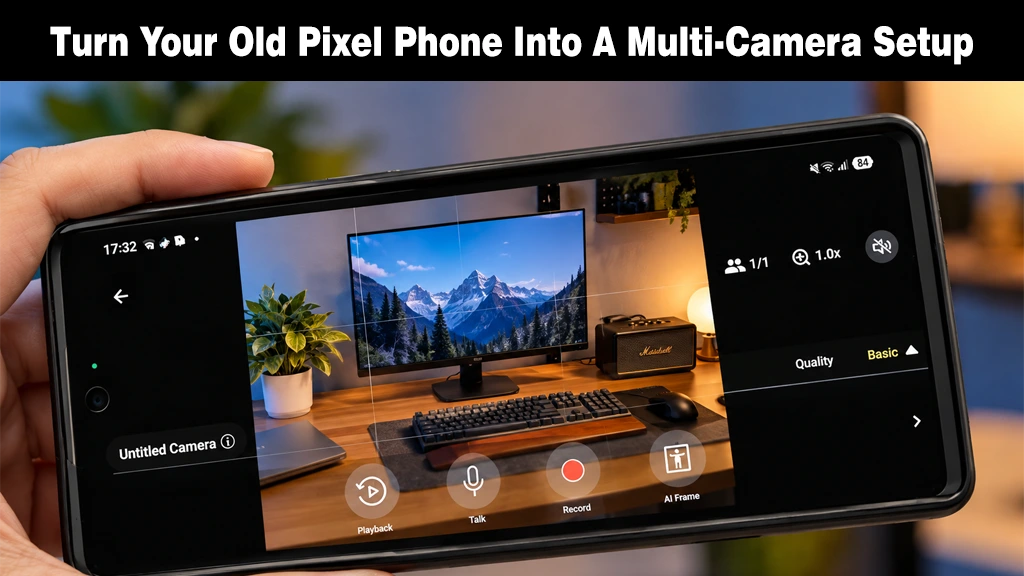
    Hand holding a Google Pixel smartphone displaying a live camera preview interface for multi-camera streaming.
    A guide on repurposing an old Pixel phone into a multi-camera video production setup.
    Share
    Facebook Twitter LinkedIn Pinterest Email Copy Link

    If you have a spare Pixel phone sitting in a drawer, it just became more useful. Google has expanded Connected Camera, a Pixel feature that lets a second camera join your video feed, to 11 new communication and work apps.

    From Streaming Trick to Everyday Tool

    Until now, the feature mostly lived in entertainment and social apps: Facebook, Instagram, Snapchat, TikTok, and YouTube. 

    As Android Authority notes, the new Pixel Camera Services update, version 4.1.977867365.00, adds Google Meet, Gmail, Slack, Microsoft Teams, Zoom, Telegram, Skype for Business, WhatsApp, WhatsApp Business, Facebook Messenger, and Discord, taking the total from five to 16.

    The practical result, as Beebom Gadgets describes it, is a second angle during an ordinary call. 

    Keep your main Pixel device in front of you, park another across the room for a wider shot, and switch between them mid-call. 

    Android Authority compares it to a mini TV studio, with the host app’s native filters and effects still working.

    How to Set It Up

    According to Beebom, you start by turning on Connected Cameras under Settings, then Connected devices, then Connection preferences. 

    During a call, a floating button opens the Camera Picker, where Add Pixel lists nearby Android devices signed in to your Google account. On the second phone, tap Grant access and choose the front or back camera.

    A GoPro works too: pair it under Connected devices, and it appears in the Camera Picker automatically.

    The Fine Print

    Not every Pixel qualifies. Beebom lists the Pixel 9 series, Pixel 10 lineup, and the Pixel 11, 11 Pro, and 11 Pro Fold as supported, and both phones must use the same Google account. You can also connect only one extra camera at a time.

    The update arrives through the Play Store and should install automatically, though Beebom notes it may take a few days to reach everyone. 

    Android Authority is candid that most people don’t need a multi-camera setup, so this won’t change daily calls for everybody.

    Source: Your Pixel can turn into a mini TV studio, now in 11 more apps

    Add as Preferred on Google Follow on Google News Follow on Flipboard
    Share. Facebook Twitter Pinterest LinkedIn Tumblr Telegram Email Copy Link
    Previous ArticlePixel 11 Pro HiLight Feature Could Finally Expand To WhatsApp, Android Canary 2610 Hints
    Next Article Android 17 QPR2 Beta 7 Targets the Bug That Drains Your Pixel Overnight
    My Android News Desk

      My Android News Desk is the editorial team behind My Android News, covering the latest Android news, app and phone updates, new features, and developments across the Android ecosystem. The team follows official announcements, developer updates, and reliable sources to provide timely and useful information for Android users.

      Related Posts

      Get The Pixel 11 Pro XL Paying Nothing Upfront, Report Says

      October 24, 2026

      Battery Dying Fast After One UI 9? Don’t Factory Reset Your Galaxy S24 or S25 Yet

      October 23, 2026

      Your Play Store Now Has a Phone Shop Hidden in the Account Menu

      October 16, 2026
      Add A Comment
      Leave A Reply Cancel Reply

      • From Streaming Trick to Everyday Tool
      • How to Set It Up
      • The Fine Print


      Clickable Image

      My Android News brings you the latest Android news, practical guides, app recommendations, phone coverage, gaming coverage, features, tips, and useful insights to help you get more from your Android devices.

      We Tried It

      Get The Pixel 11 Pro XL Paying Nothing Upfront, Report Says

      October 24, 2026

      How to Clear App Cache on Android Without Losing Data

      October 23, 2026

      Battery Dying Fast After One UI 9? Don’t Factory Reset Your Galaxy S24 or S25 Yet

      October 23, 2026

      Subscribe to Updates

      Get the latest Android news, practical guides, app updates, and phone coverage delivered to your inbox

      © 2026 MyAndroidNews. All rights reserved - Powered by WebTech Solutions
      • Home
      • About
      • Privacy Policy
      • Contact
      • Editorial Policy
      • Terms & Conditions

      Type above and press Enter to search. Press Esc to cancel.