
Close Menu
My Android News – Android News, Apps & Phone UpdatesMy Android News – Android News, Apps & Phone Updates
    Facebook X (Twitter) Instagram Threads
    Trending
    • Your Phone Could Lose WhatsApp Support: Here’s Who Needs to Upgrade
    • Android 17 QPR3 Beta 1 Finally Fixes the Pixel Fingerprint Freeze
    • Samsung Hikes Galaxy S26 Prices, With the 1TB Ultra Now $200 More 
    • Pixel 10 vs Galaxy S26: Which Phone Is Truly Better?
    • Google Fixes a Major VoLTE Problem for Imported Pixel 11 Phones 
    • Google Fixes Its Pixel 11 Snub With Android 17 QPR2 Beta 6.1 
    • Galaxy S27 Ultra Camera Leaks Reveal a Big Trade-Off
    • Is the Google Pixel 8 Still Worth Buying in 2026?
    Facebook Instagram Pinterest YouTube LinkedIn
    My Android News – Android News, Apps & Phone UpdatesMy Android News – Android News, Apps & Phone Updates
    • Home
    • Android Apps
    • Android Gaming
    • Android How-To
    • Android News
    • Android Phones
    • Android Tips
    • Reviews
    My Android News – Android News, Apps & Phone UpdatesMy Android News – Android News, Apps & Phone Updates
    Home » Your Phone Could Lose WhatsApp Support: Here’s Who Needs to Upgrade
    Android News

    Your Phone Could Lose WhatsApp Support: Here’s Who Needs to Upgrade

    My Android News DeskBy My Android News DeskOctober 5, 2026No Comments2 Mins Read0 Views
    Share Facebook Twitter Pinterest LinkedIn Tumblr Email Copy Link
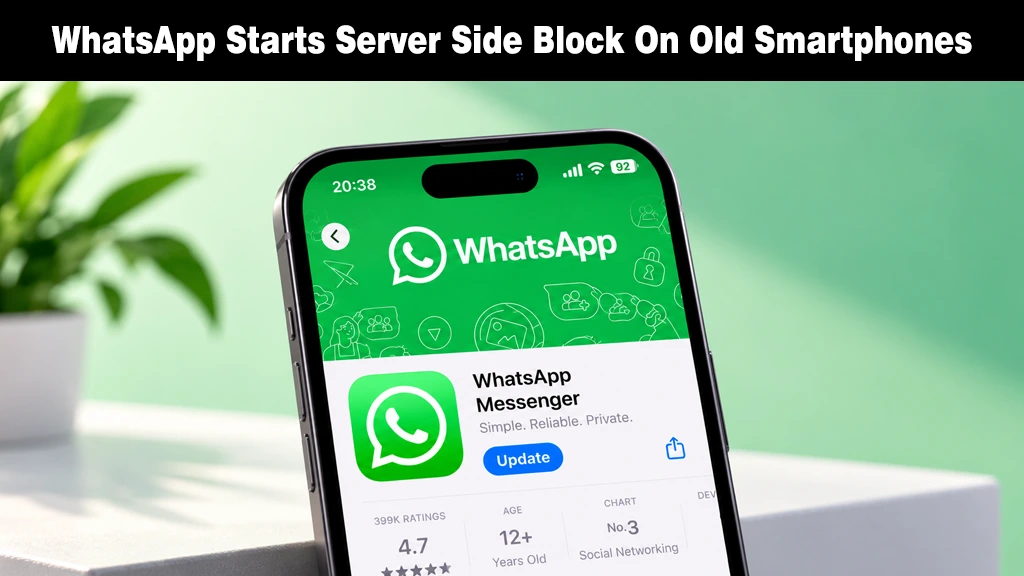
    Modern smartphone displaying the WhatsApp Messenger app update store page on a green background.
    WhatsApp initiates a server-side block restricting access for smartphones running outdated operating systems.
    Share
    Facebook Twitter LinkedIn Pinterest Email Copy Link

    Most WhatsApp update stories are about new features. This one is about losing access entirely. WhatsApp has begun blocking logins on devices running outdated operating systems and the restriction has nothing to do with which version of WhatsApp itself you’re running.

    What You’ll Actually See

    This is a server-side change, meaning it activates without you installing anything new. 

    If your device qualifies, attempting to log in brings up a new screen telling you to update your operating system before you can continue. 

    There’s no skip option and no workaround. WhatsApp also walks users through checking their current software version if they’re unsure, but until the OS itself is updated, the app simply won’t open.

    Right now, WABetaInfo reports this is rolling out to specific accounts on both Android devices and iPhones, and Meta hasn’t published a list of exactly which OS versions trigger the block.

    Who’s Most Likely to Be Caught Out

    According to SammyGuru, the company recently dropped support for Android 5.0 and 5.1, making Android 6.0 the current minimum. 

    On the iOS side, the minimum is set to rise to iOS 15.5 starting November 30. 

    That timeline suggests Android phones stuck on very old firmware, ones that can no longer update past Android 5.x, are the devices most at risk of being frozen out entirely. And when updates stop like this, it usually signals the end of a phone’s usable life. 

    What to Do If You’re Locked Out

    First, check your phone’s settings for a pending system update, as installing it may resolve the block. 

    However, if your device has reached its end of software support, there is no workaround;  upgrading to a newer phone is the only way back into your account. 

    The reassuring part, per SammyGuru, is that this is expected to affect a relatively small slice of WhatsApp’s user base; most phones released in the past several years should be unaffected.

    Why WhatsApp Is Doing This

    The reasoning isn’t really about WhatsApp itself. WABetaInfo notes that end-to-end encryption protects messages in transit, but it can’t protect data on a device that’s already been compromised by malware exploiting an outdated, unpatched operating system. 

    Once a phone is infected, an attacker can grab information before WhatsApp ever gets the chance to encrypt it.

    Source:  WhatsApp blocks logins on devices with outdated software

    Add as Preferred on Google Follow on Google News Follow on Flipboard
    Share. Facebook Twitter Pinterest LinkedIn Tumblr Telegram Email Copy Link
    Previous ArticleAndroid 17 QPR3 Beta 1 Finally Fixes the Pixel Fingerprint Freeze
    My Android News Desk

      My Android News Desk is the editorial team behind My Android News, covering the latest Android news, app and phone updates, new features, and developments across the Android ecosystem. The team follows official announcements, developer updates, and reliable sources to provide timely and useful information for Android users.

      Related Posts

      Android 17 QPR3 Beta 1 Finally Fixes the Pixel Fingerprint Freeze

      October 3, 2026

      Samsung Hikes Galaxy S26 Prices, With the 1TB Ultra Now $200 More 

      October 2, 2026

      Google Fixes a Major VoLTE Problem for Imported Pixel 11 Phones 

      October 1, 2026
      Add A Comment
      Leave A Reply Cancel Reply

      • What You’ll Actually See
      • Who’s Most Likely to Be Caught Out
      • What to Do If You’re Locked Out
      • Why WhatsApp Is Doing This


      Clickable Image

      My Android News brings you the latest Android news, practical guides, app recommendations, phone coverage, gaming coverage, features, tips, and useful insights to help you get more from your Android devices.

      We Tried It

      Your Phone Could Lose WhatsApp Support: Here’s Who Needs to Upgrade

      October 5, 2026

      Android 17 QPR3 Beta 1 Finally Fixes the Pixel Fingerprint Freeze

      October 3, 2026

      Samsung Hikes Galaxy S26 Prices, With the 1TB Ultra Now $200 More 

      October 2, 2026

      Subscribe to Updates

      Get the latest Android news, practical guides, app updates, and phone coverage delivered to your inbox

      © 2026 MyAndroidNews. All rights reserved - Powered by WebTech Solutions
      • Home
      • About
      • Privacy Policy
      • Contact
      • Editorial Policy
      • Terms & Conditions

      Type above and press Enter to search. Press Esc to cancel.